

Your map is ready. Now make it pay off.
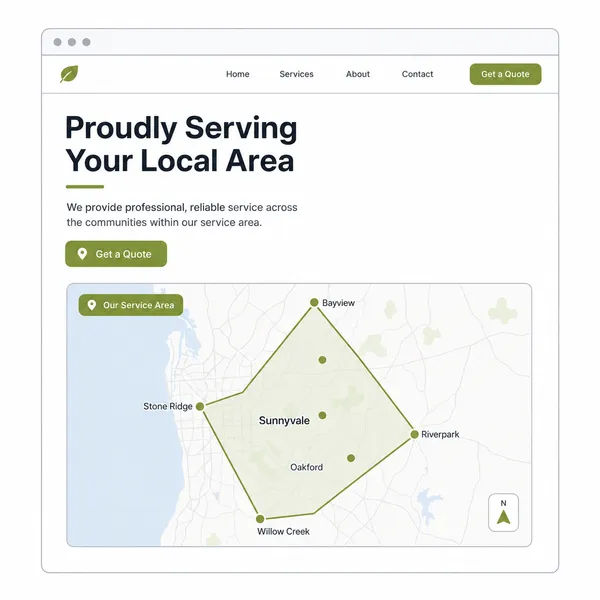
Don't leave it sitting in Downloads. Use it on your website, in replies, and in posts so customers can see where you work before they ask.
Send this guide to yourself
We'll send the checklist, copy snippets, and a link back to this page. Your map stays on your device.
Quick Wins for Your Map
Start with the places where customers already check, ask, or message you.
Website
Add it near your contact form so visitors know if they're in range.
Quick Replies
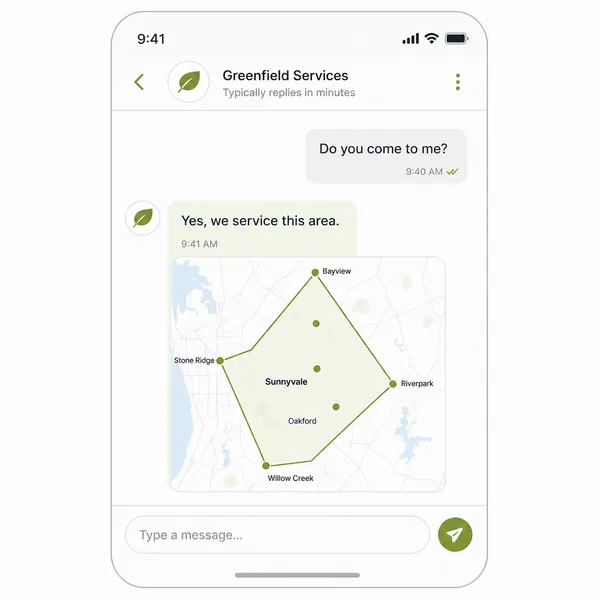
Answer "Do you come to me?" without typing it out again.
Social Posts
Pin it so people can check your area before they message.
Google Business Profile
Add it as a photo or update so local searchers know where you work.
Put the map where it saves you time
The map earns its place when it cuts down the back-and-forth before someone contacts you.
Fewer basic area questions
People can see the rough area before asking, "Do you come to me?"
Clearer enquiries
Customers can send their suburb with better context.
Less wasted form filling
People outside the area can self-check before they send a request.
Good spots: contact page, service area page, booking page, or near your phone number.
Stop typing the same reply
Use the map when someone asks about their location.
Reply faster
Save the map as your go-to reply when someone asks, "Do you come to... ?"
Keep distant jobs open
Some outer jobs may still be worth doing. Say you’ll check what’s possible.
Set travel fees early
If distance changes the price, the map helps explain why.
Use it in texts, Messenger, email replies, comments, and social posts.
Be clear about the work you want
Your map should match the work you want. Show your normal area, price the outer area, and stop promoting places that are not worth the trip.
Keep your easy yes zone clear
This is the area where you can say yes without thinking too hard.
→ Use it on your site and in replies so people know your normal run.
Price the edge properly
Outer jobs can still be good jobs when the price covers the travel.
→ Set a travel fee, call-out fee, or minimum job size to ensure it's worth your while.
Stop chasing poor-fit areas
Some areas bring calls, but not the kind of jobs you want.
→ Do not spend ad money or page space promoting them.
Not sure what to say? Start here
Save these lines for your website, replies, and posts.
Website note
Place this near the map so people know it is a guide.
“This map shows our usual service area. If you are near the boundary, send us your suburb and we'll confirm what's possible.”
Suburb reply
Use this when someone asks about a specific place.
“Yes, we usually service [suburb]. Send through your address and a few job details, and we'll confirm the best option.”
Outer area reply
Use this when the job may still be possible, but travel matters.
“[Suburb] is just outside of our usual area. We may still be able to help depending on the job. Send through the details and we'll let you know.”
Want less back-and-forth before the booking?
The map helps customers see where you work. MobiFlex helps you manage the leads, bookings, clients, and follow-ups that come next.