

Auto-archive inactive leads helps keep your active lead list focused by moving quiet leads out of the active pipeline after a set number of days.
Archived leads are not deleted. They can still be found and restored later.
The auto-archive setting controls whether MobiFlex moves inactive leads out of your active pipeline automatically.
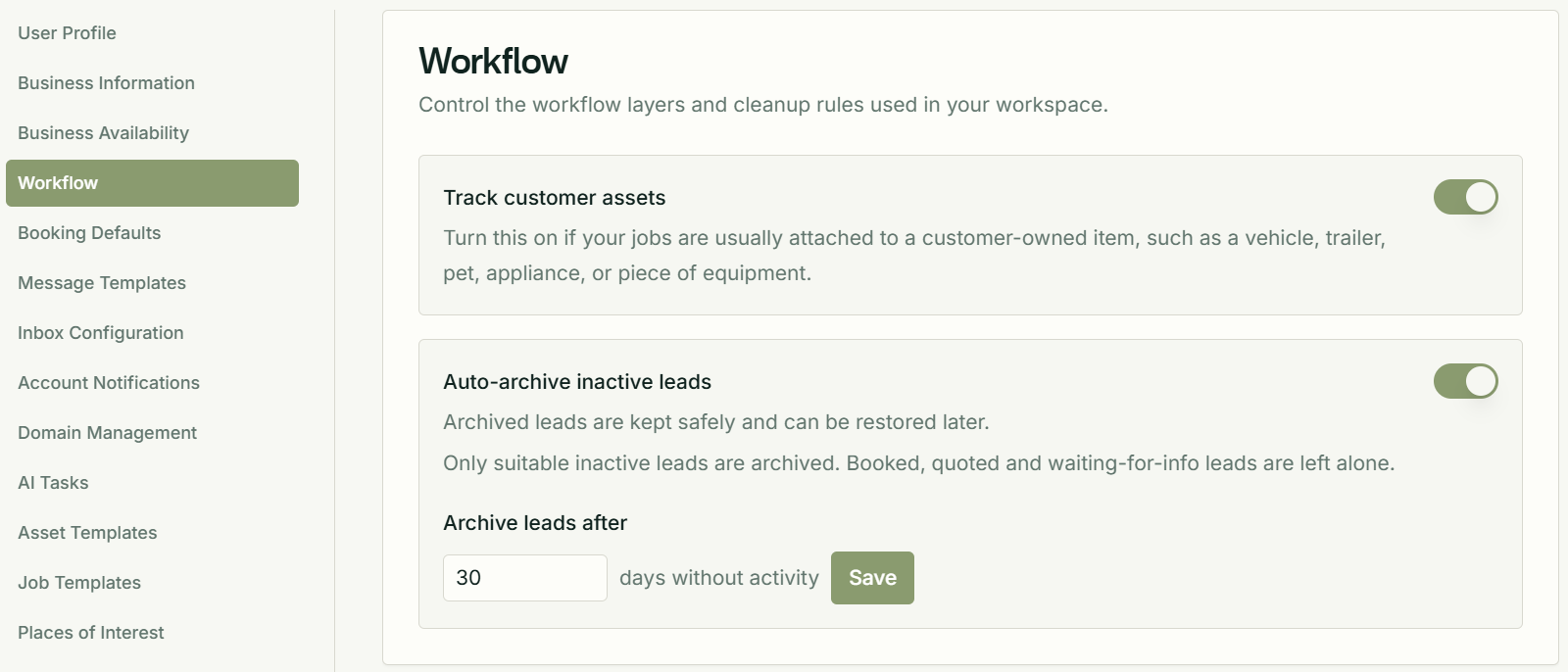
What auto-archive does
When auto-archive is turned on, MobiFlex checks for suitable inactive leads and moves them to archived after the number of days set in workspace settings.
This keeps older enquiries out of the active pipeline without removing their history.
What gets archived
MobiFlex archives suitable quiet leads once they have had no recorded activity for the configured number of days.
The setting is controlled at workspace level, so the same inactivity window applies across the workspace.
What MobiFlex leaves alone
For safety, MobiFlex leaves booked, quoted and waiting-for-info leads alone.
It also leaves leads with linked bookings alone.
What counts as activity
Activity means the lead has been updated or worked on recently enough that it should stay in the active pipeline.
If a lead is still being handled, update its status or details before the inactivity window passes.
How to turn it on
Go to Settings > Workflow > Auto-archive inactive leads.
Turn the setting on, choose how many days MobiFlex should wait before archiving inactive leads, then save the setting.
Can I restore an archived lead?
Yes. Archived leads are not deleted.
To restore an archived lead, change its status back into the active pipeline.
Who can use this?
Auto-archive inactive leads is available on MobiFlex Professional.